
GPT Image 2 online editor and generator

OpenAI's GPT Image 2 in a simple editor. Describe a picture or upload a photo and say what to change; expect about a minute per image.

8 credits an image at 1K. Credits never expire.

No photo? Try one:

Failed generations are refunded.

What GPT Image 2 did in our tests

We gave GPT Image 2 the same prompts as every other model on this site on 2 November 2026. Here is what came back, including the weak spot.

Text in the picture

Lettering in a real script, every word right

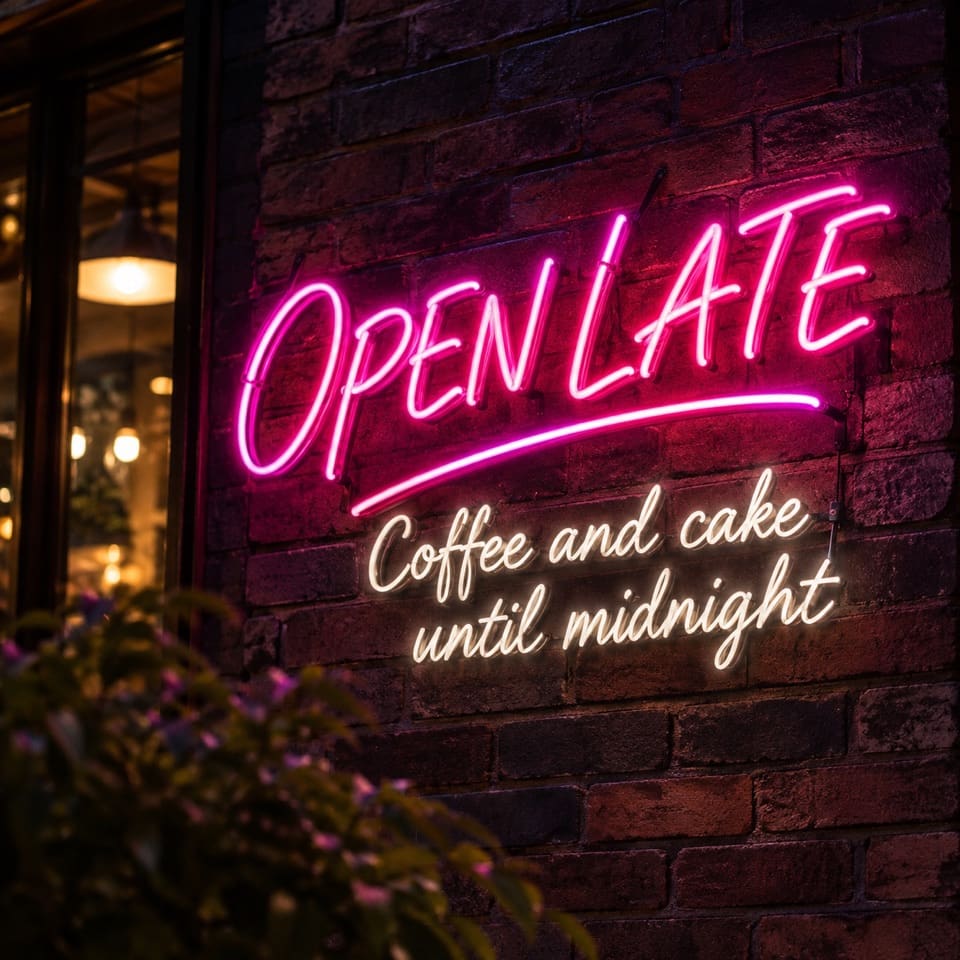
We asked for a neon sign reading "OPEN LATE" in glowing cursive, with a smaller line underneath. GPT Image 2 drew both lines in flowing neon script, spelled every word correctly, kept the capitals we asked for and added a swoosh under the headline. All the models we tried spelled the words right; the difference was style. GPT Image 2 followed "cursive" with real script lettering, where the Nano Banana models gave block or italic lettering and Seedream gave upright letters.

PromptA neon sign on a dark brick wall that reads "OPEN LATE" in glowing cursive letters, with smaller white text underneath that reads "Coffee and cake until midnight". Photo, night, shallow depth of field.
  • Both lines spelled correctly
  • 65 seconds
A pink neon sign reading OPEN LATE in cursive on a dark brick wall, with the line Coffee and cake until midnight in white script below, made by GPT Image 2
Background swap

A bright beach, and a face that did not change

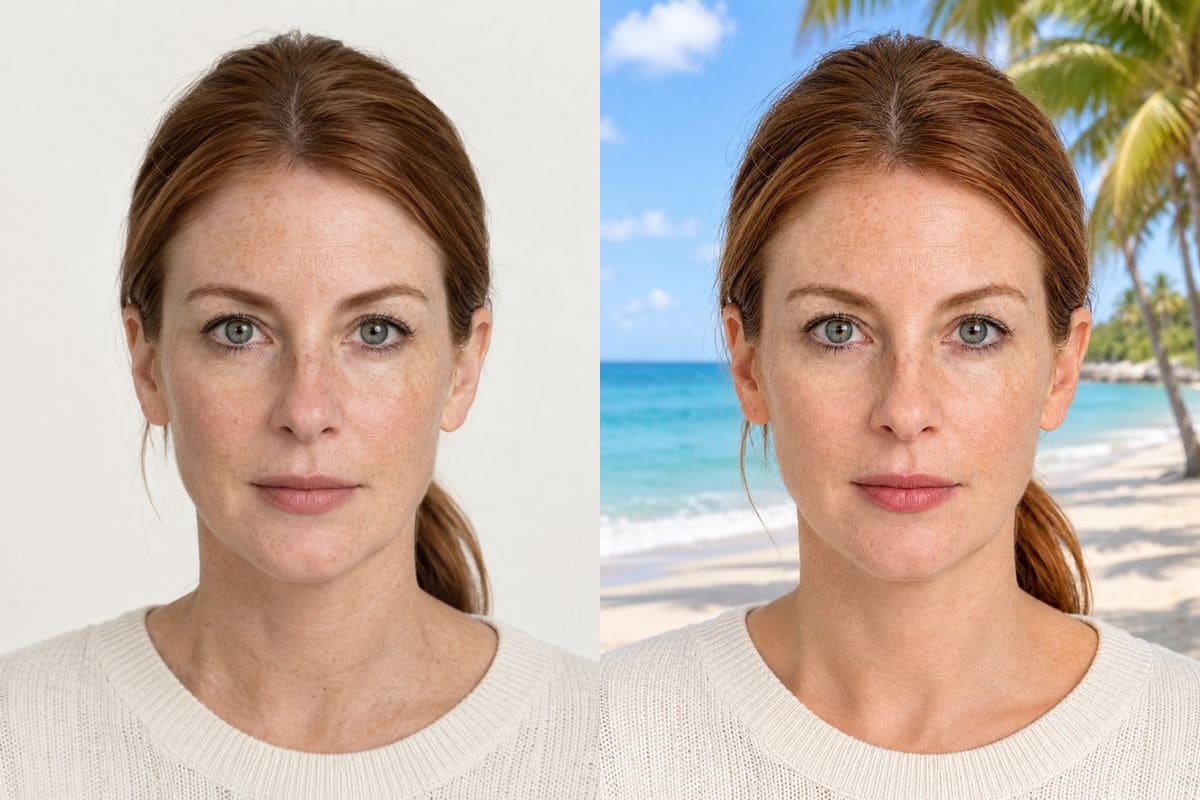
For the beach prompt it replaced the white wall with a bright, airy beach: a pale sky, turquoise water and palms at the edge. The face, the hair and the cream sweater look the same as the original, and so does the colour of the skin, which some other models shifted.

PromptChange the background to a sunny beach with palm trees. Keep the person, face and clothes exactly the same.
  • Skin tone unchanged
  • 59 seconds
A woman with red hair in front of a white wall next to the GPT Image 2 result: the same woman on a bright palm beachOriginalGPT Image 2
Text to image

Saturated, sunlit and photographic

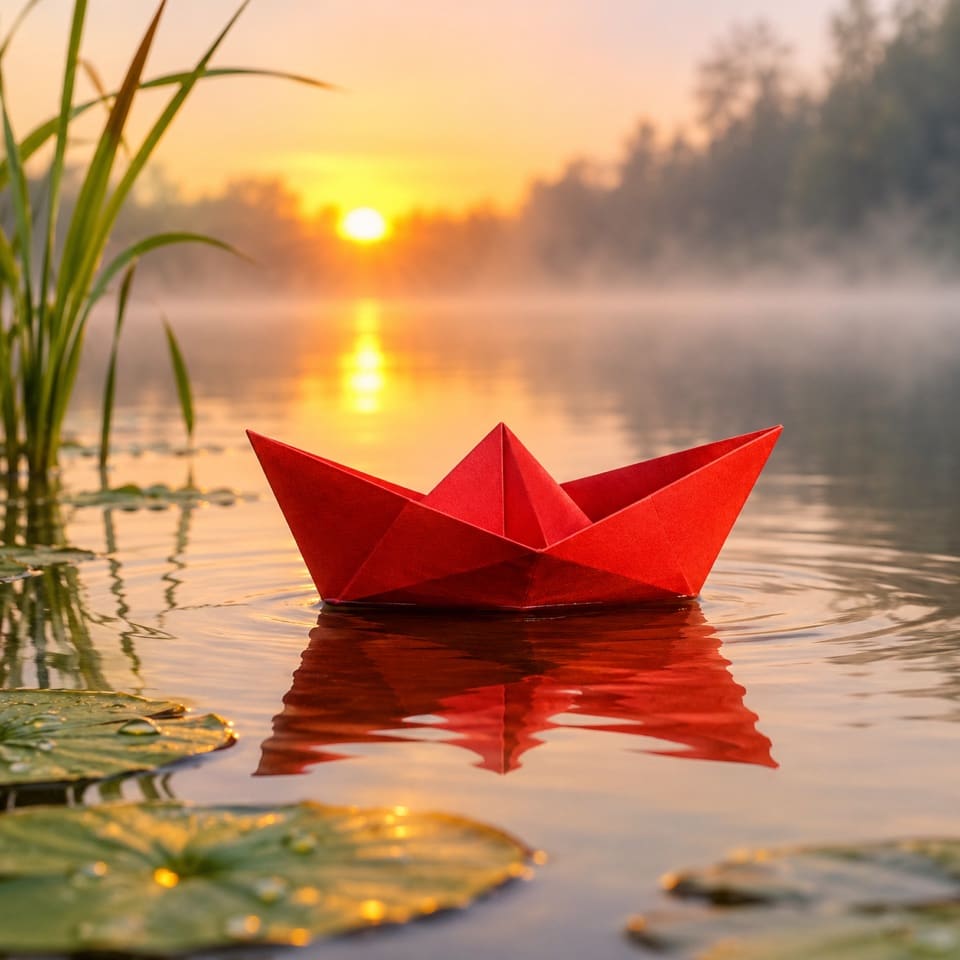
The paper boat prompt came back as a vivid sunrise: a golden sun low over the trees, a saturated red boat large in the frame and clean reflections. It is more dramatic than the Nano Banana versions of the same prompt, which stay pale and quiet.

PromptA red paper boat floating on a calm pond at sunrise, soft mist, shallow depth of field, photo
  • 1:1 at 1K
  • 58 seconds
A saturated red paper boat on a pond at sunrise with a golden sun and reflections, made by GPT Image 2 from a text prompt
The weak spot

Heavy style changes flatten the face

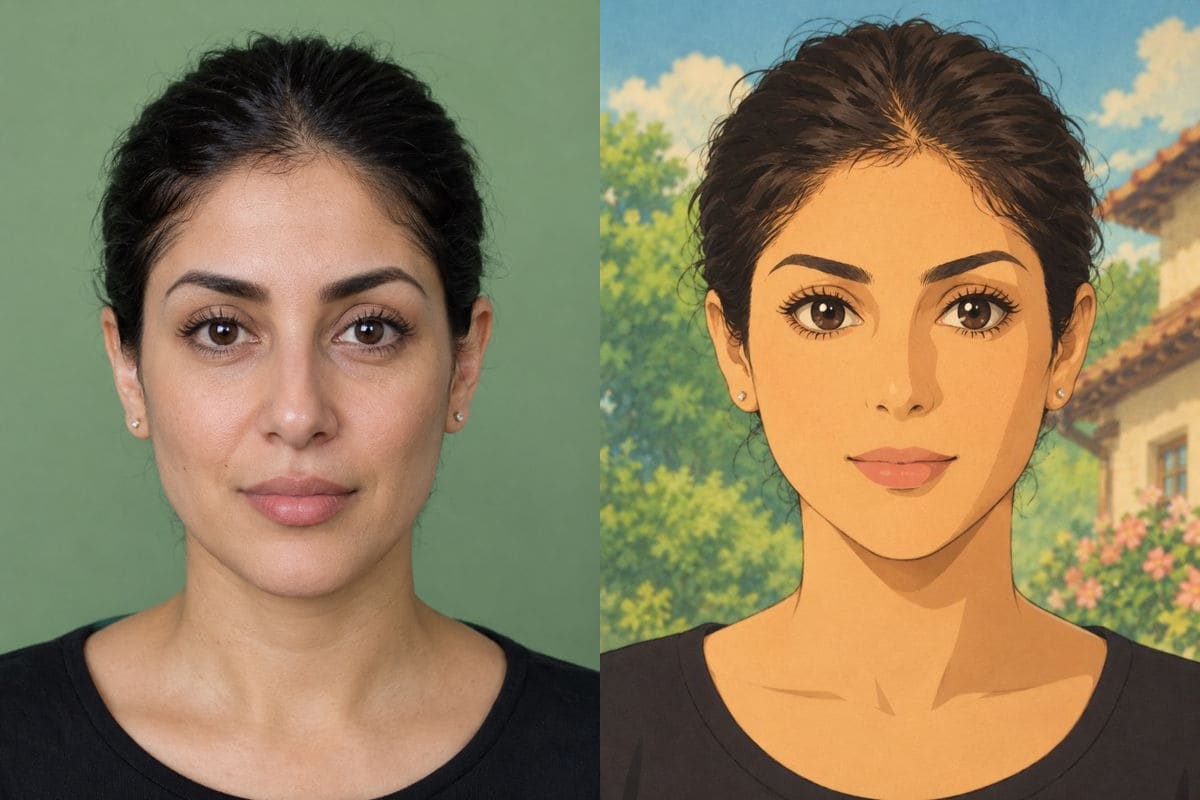
The Studio Ghibli prompt gave a lovely painted background, with a blue sky, a house and flowers. The person did not come through as well: skin turned a flat, even orange and the likeness weakened. For style changes on a portrait, Nano Banana 2.1 and Nano Banana Pro kept the person more recognisable in our test.

PromptRepaint this photo as a hand-painted animated film frame in the Studio Ghibli style, soft painted textures and warm light. Keep the person recognisable.
  • Beautiful scenery, weaker likeness
  • 64 seconds
A woman with dark hair on a green wall next to the GPT Image 2 result: an anime-style drawing of a woman with orange skin in front of a house and flowersOriginalGPT Image 2

Tips for better GPT Image 2 results

Put the exact words in quotes and name the style. "In glowing cursive letters" gave real script lettering in our sign test.

Plan for about a minute an image, and keep drafts on a quicker model such as Nano Banana 2.1 or Grok Imagine.

Skip it for heavy portrait restyles. Nano Banana 2.1 and Pro kept a person more recognisable in the Studio Ghibli test.

How to use GPT Image 2

Three steps, no install.

  1. Add a photo, or skip it

    Upload up to 5 photos to edit them with GPT Image 2, or leave the tray empty to create an image from text.

  2. Say what you want

    Type the change in plain words. GPT Image 2 is already selected; the credit cost shows next to the button before you start.

  3. Download or keep editing

    The result appears under the tool and stays in My images for 30 days. Download it, or send it back in as the next photo.

GPT Image 2 compared with the other models

Same prompts, same portraits, measured on 2 November 2026.

ModelCredits at 1KSecondsGood at
Nano Banana 2.1520 to 39Everyday edits; keeps a likeness through a style change
Nano Banana 2819 to 24Speed; 16:9 and 21:9
Nano Banana Pro1030 to 36Faithful faces; 4K
GPT Image 2858 to 65Lettering in a script; bold colour
GPT Image 2.5836 to 64Lettering; nine aspect ratios
Seedream 5.0 Pro8 (12 at high)29 to 93Headshots closest to the original
Seedream 5.0 Lite537 to 48Cheap drafts, any quality
Grok Imagine516 to 29Fast, photographic scenes
Z-Image Turbo113 to 19Cheapest text-to-image drafts (no photos)

Seconds are wall-clock from pressing Generate to the finished image, over one to six runs per model; they vary with load. Credits are what this editor charges.

When to pick GPT Image 2

Use GPT Image 2 when the wording in the image matters, or when you want the bold, saturated GPT look. It costs the same 8 credits as GPT Image 2.5 and Nano Banana 2.

GPT Image 2.5 is the newer sibling. On our prompts the two gave different compositions in a similar style, and 2.5 was faster on some runs.

AI Photo Editor pricing

A standard edit costs 5 credits; larger sizes and premium models cost 8 to 15. Buy a pack once and use it whenever you like. Bigger packs bring the price of a standard edit down from $0.27 to $0.19.

Starter

Try it out

$4.99one-time

18images

$0.27 per imageBase price

150 credits

Basic

Around 43 images

$9.99one-time

43images

$0.23 per imageSave 14%

350 credits

Plus

Around 93 images

$19.99one-time

93images

$0.21 per imageSave 20%

750 credits

Studio

For daily creators

$69.99one-time

375images

$0.19 per imageSave 30%

3,000 credits

Image counts and per-image prices here use 8 credits, what GPT Image 2 costs at its basic setting. The cost of the model and size you pick always shows before you start.

Secure one-time checkout through Stripe. Buying a pack only adds credits to your account. USD prices. Review the final amount and any applicable tax at checkout before paying. Credits do not automatically renew, and unused credits can be refunded within 7 days of purchase. The credit cost shows before each image; finished results need no second payment to view or download.

GPT Image 2 questions

What is GPT Image 2?

GPT Image 2 is OpenAI's image model. It creates images from text and edits photos you upload from a written instruction.

How much does GPT Image 2 cost here?

8 credits at 1K, 10 at 2K and 14 at 4K per image. Credits come in one-time packs from $4.99 and never expire. A failed image costs nothing.

Is GPT Image 2 free?

No. A new account gets 5 free credits, which is not enough for one GPT Image 2 image (8 credits) but covers one with Nano Banana 2.1.

Why is it slower than the other models?

In our test it took 58 to 65 seconds an image; the Nano Banana models took 19 to 39 seconds. The editor shows a progress state while it works, and a failed image is refunded.

Can GPT Image 2 write text inside an image?

Yes. In our neon-sign test it spelled both lines correctly and set them in a real cursive script. Put the exact words in quotes in the prompt.

Which aspect ratios does it support?

1:1, 4:3, 3:4, 16:9, 9:16 and auto, which follows your uploaded photo.

How many photos can I upload?

Up to 5 per image.

Is this the official GPT Image 2 site?

AI Photo Editor is an independent site. It is not affiliated with, endorsed by or sponsored by the company that makes the model; model names belong to their owners.

Try GPT Image 2 on your own photo

New accounts start with free credits. Failed images cost nothing.