
AI image humanizer

Remove the waxy skin sheen, over-saturation and glossy glow from an AI-generated picture.

5 credits a photo. Failed images are free.

No photo? Try one:
LookShown on other people
5 free credits when you sign up · no cardPricing
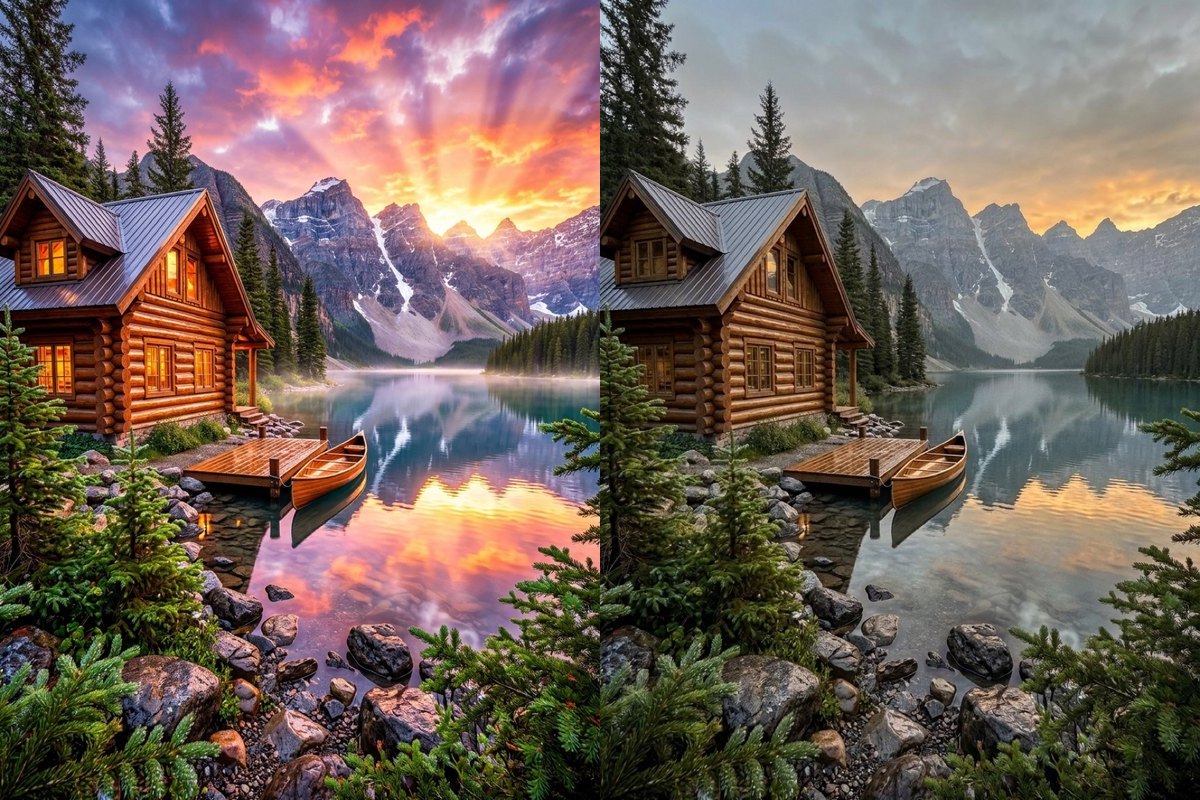
Natural photo: lake sceneBeforeAfter
Nano Banana 2.1
Natural photo: lake scene

Make this picture look like an ordinary, unretouched photograph taken with a real camera: natural skin texture with pores and fine lines, uneven real-world lighting, believable shadows and slightly imperfect colour. Remove the plastic, airbrushed, over-smooth AI look and the glossy glow. Keep the same people, faces, clothes, objects, background, setting and composition; only the texture, grain and light change.

How Natural photo and Phone photo worked in our tests

We tested two subjects: a photo-like AI lake landscape and a stylised neon portrait. Other subjects are untested.

Natural photo

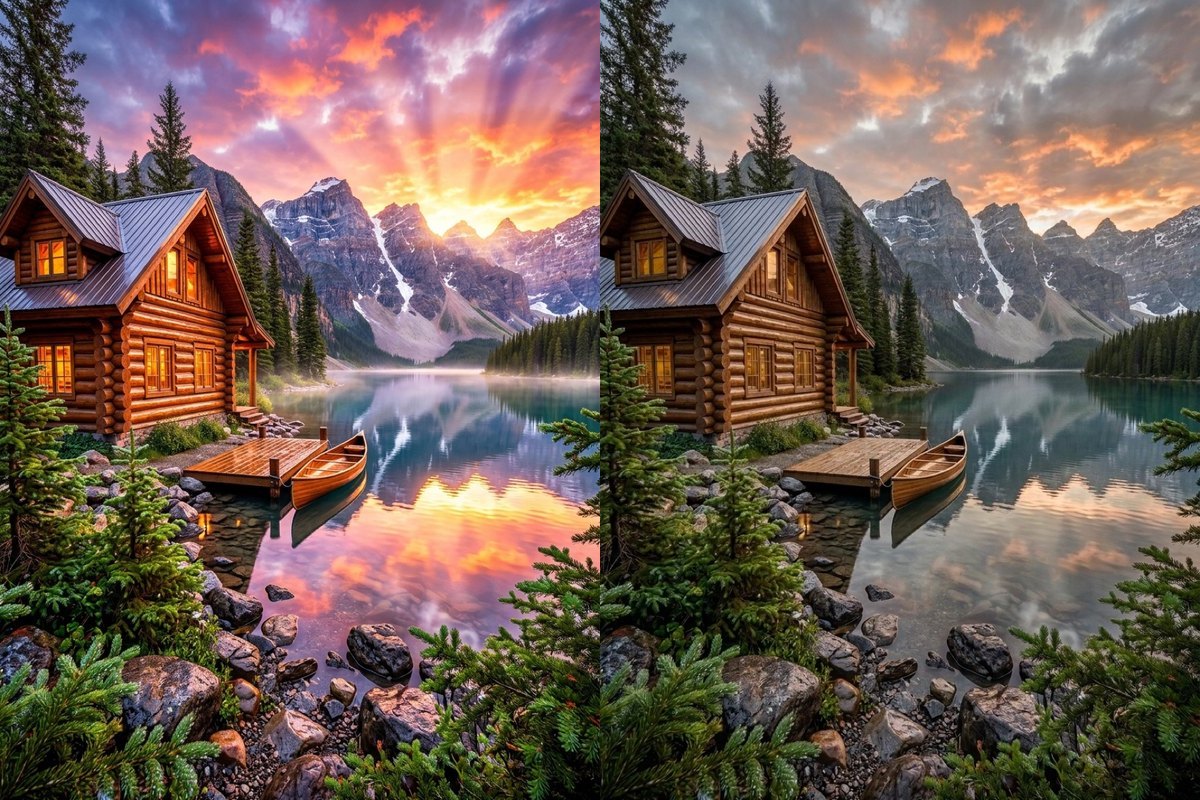
Over-saturated lake cabin toned down while keeping the sunset

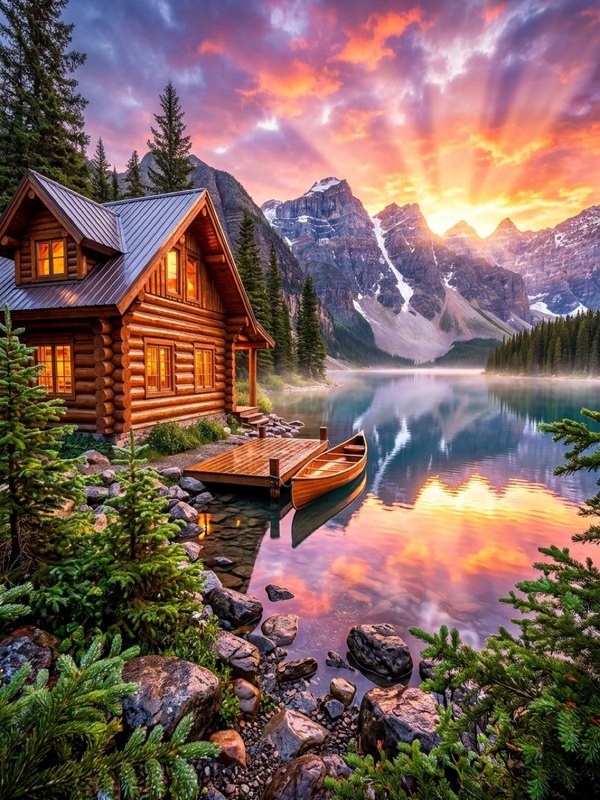
On our photo-like AI lake landscape with bright sunset rays over a wooden cabin and canoe, Natural photo reduced the plastic glow and heavy colour saturation while the sunset and layout stayed in place.

PromptMake this picture look like an ordinary, unretouched photograph taken with a real camera: natural skin texture with pores and fine lines, uneven real-world lighting, believable shadows and slightly imperfect colour. Remove the plastic, airbrushed, over-smooth AI look and the glossy glow. Keep the same people, faces, clothes, objects, background, setting and composition; only the texture, grain and light change.
  • Sunset kept
  • Layout stayed in place
An over-saturated AI mountain lake cabin picture on the left next to the same cabin, canoe and sunset clouds with toned-down contrast on the rightOriginalNano Banana 2.1
Natural photo

Stylised neon portrait redrawn as a photo-like picture

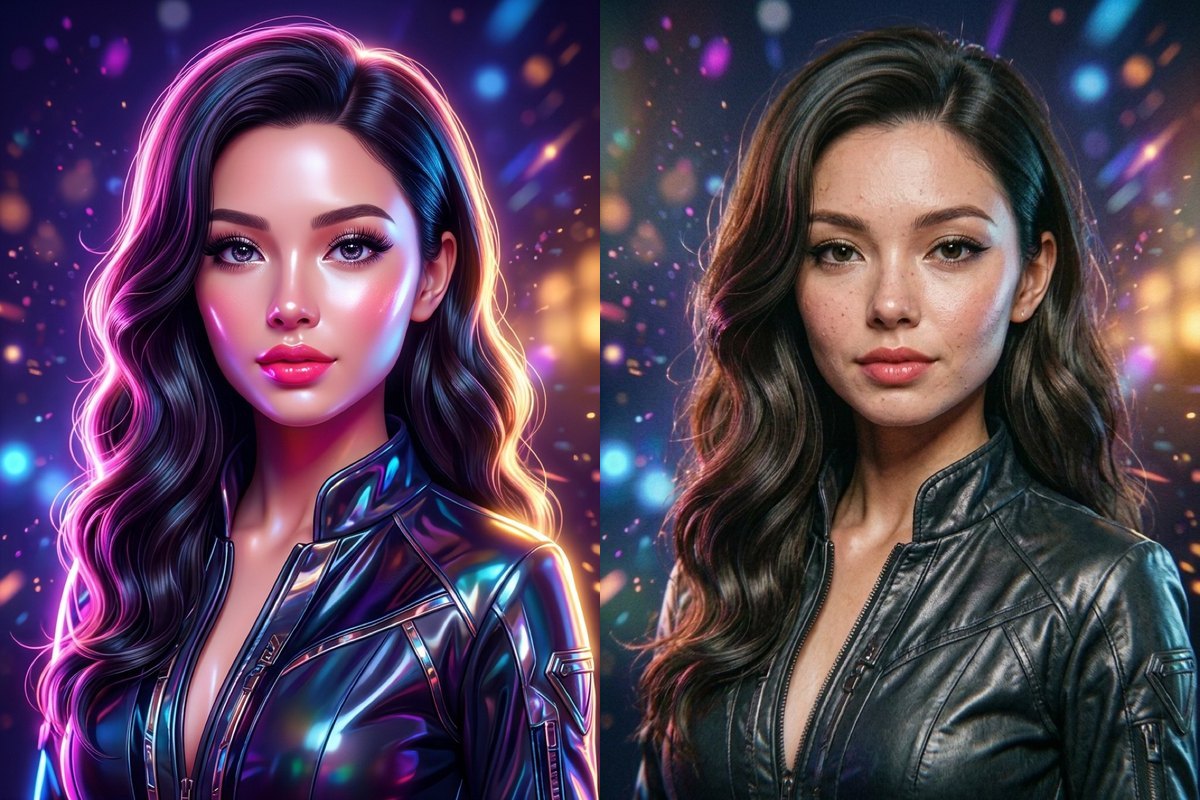
Our neon portrait input was a stylised illustration rather than a photo-like image, so Natural photo redrew her as a photo-like portrait with skin texture and a matte jacket. On stylised images the style and sometimes the background changed; faces on photo-like pictures were not tested.

PromptMake this picture look like an ordinary, unretouched photograph taken with a real camera: natural skin texture with pores and fine lines, uneven real-world lighting, believable shadows and slightly imperfect colour. Remove the plastic, airbrushed, over-smooth AI look and the glossy glow. Keep the same people, faces, clothes, objects, background, setting and composition; only the texture, grain and light change.
  • Redrawn as photo-like
  • Style and texture changed
A stylised glossy neon portrait of a woman on the left next to a photo-like portrait of her with visible freckles and matte leather jacket on the rightOriginalNano Banana 2.1
Phone photo

Phone photo muted the sunset into overcast tones

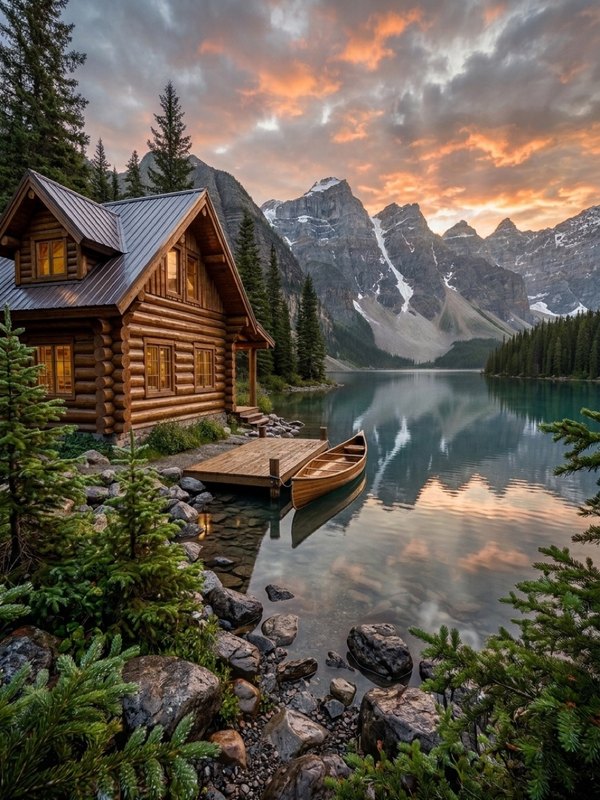
Running Phone photo on the same AI lake landscape shifted the bright orange sunset into cooler overcast tones and muted reflections. Its prompt asks for casual phone light, mild noise and slightly imperfect framing.

PromptMake this picture look like a candid photo taken on a phone: slightly imperfect framing, mixed ordinary light, mild noise and no studio polish. Remove the plastic, airbrushed, over-smooth AI look and the glossy glow. Keep the same people, faces, clothes, objects, background, setting and composition; only the texture, grain and light change.
  • Weather mood shifted
  • Phone light and mild noise
An over-saturated AI mountain lake cabin picture on the left next to a flatter, muted overcast-style version of the same scene on the rightOriginalNano Banana 2.1

Disclosure, tested scope and what this changes

Natural photo aims for an unretouched look with natural skin texture, ordinary uneven light and slightly imperfect colour. Phone photo aims for casual phone light, mild noise and slightly imperfect framing. On our photo-like landscape the layout stayed in place, while on the stylised portrait both style and texture changed.

The result is still an AI-generated image. Do not present it as a real photograph, and follow the labelling rules of the site or platform you post on. Faces on photo-like pictures and subjects beyond this landscape and portrait were not tested.

To repair physical damage on real scanned photos or add colour to black-and-white scans, use photo restoration or colorize photo; we have not tested chaining those tools with this one.

How to use it

Three steps, no install.

  1. Add one photo

    Upload one AI-generated picture, JPG, PNG or WebP. Photos are checked, then deleted about a day after you upload them.

  2. Choose Natural photo or Phone photo

    Natural photo applies ordinary camera texture and uneven light; Phone photo adds casual phone light, mild noise and slightly imperfect framing.

  3. Download the result

    Press Generate. The picture appears under the tool and stays in My images for 30 days.

AI Photo Editor pricing

A standard edit costs 5 credits; larger sizes and premium models cost 8 to 15. Buy a pack once and use it whenever you like. Bigger packs bring the price of a standard edit down from $0.17 to $0.12.

Starter

Try it out

$4.99one-time

30images

$0.17 per imageBase price

150 credits

Basic

Around 70 images

$9.99one-time

70images

$0.14 per imageSave 14%

350 credits

Plus

Around 150 images

$19.99one-time

150images

$0.13 per imageSave 20%

750 credits

Studio

For daily creators

$69.99one-time

600images

$0.12 per imageSave 30%

3,000 credits

Image counts and per-image prices here use 5 credits, what Nano Banana 2.1 costs at its basic setting. The cost of the model you pick shows before you start.

Secure one-time checkout through Stripe. Buying a pack only adds credits to your account. USD prices. Review the final amount and any applicable tax at checkout before paying. Credits do not automatically renew, and unused credits can be refunded within 7 days of purchase. The credit cost shows before each image; finished results need no second payment to view or download.

AI image humanizer questions

Does this evade AI detectors or remove watermarks?

No. This tool is not built to evade AI detectors or remove watermarks, and we have not tested either.

What is the difference between Natural photo and Phone photo?

Natural photo aims for an unretouched look with natural skin texture, ordinary uneven light and slightly imperfect colour. Phone photo aims for casual phone light, mild noise and slightly imperfect framing, and as our lake example shows, the Phone photo look can also change the weather and mood of a scene.

Do faces and layouts stay the same?

On our photo-like landscape the layout stayed in place. Faces on photo-like pictures were not tested, and on a stylised picture like our neon portrait the style and sometimes the background changed.

What subjects were tested?

We tested an AI lake landscape and a stylised portrait. Products, interiors and photo-like portraits were not tested.

What if a picture changed too much?

Run it again, or switch to GPT Image 2.5 (8 credits) and compare.

More tools

One account and one set of credits for every tool and model.

Try the humanizer now

Upload an AI picture above and pick Natural photo or Phone photo.

No photo? Try one:
LookShown on other people
5 free credits when you sign up · no cardPricing
Natural photo: lake sceneBeforeAfter
Nano Banana 2.1
Natural photo: lake scene

Make this picture look like an ordinary, unretouched photograph taken with a real camera: natural skin texture with pores and fine lines, uneven real-world lighting, believable shadows and slightly imperfect colour. Remove the plastic, airbrushed, over-smooth AI look and the glossy glow. Keep the same people, faces, clothes, objects, background, setting and composition; only the texture, grain and light change.