
AI pose changer

Change the pose of one person in a portrait. Pick one of six stances or type your own.

5 credits a photo. Failed images are free.

No photo? Try one:
New poseShown on other people
5 free credits when you sign up · no cardPricing
Arms crossedBeforeAfter
Nano Banana 2.1
Arms crossed

Change the pose of the person in this photo so that they are standing with their arms crossed in front of them. Keep the same person: face, hair, skin tone, body shape and clothes unchanged. Keep the background and the light the same, and keep the hands and arms anatomically correct.

Observed pose results on two portraits

We ran these four gallery stances on two portraits using Nano Banana 2.1. Face and clothes stayed consistent, while hands remain the hardest part.

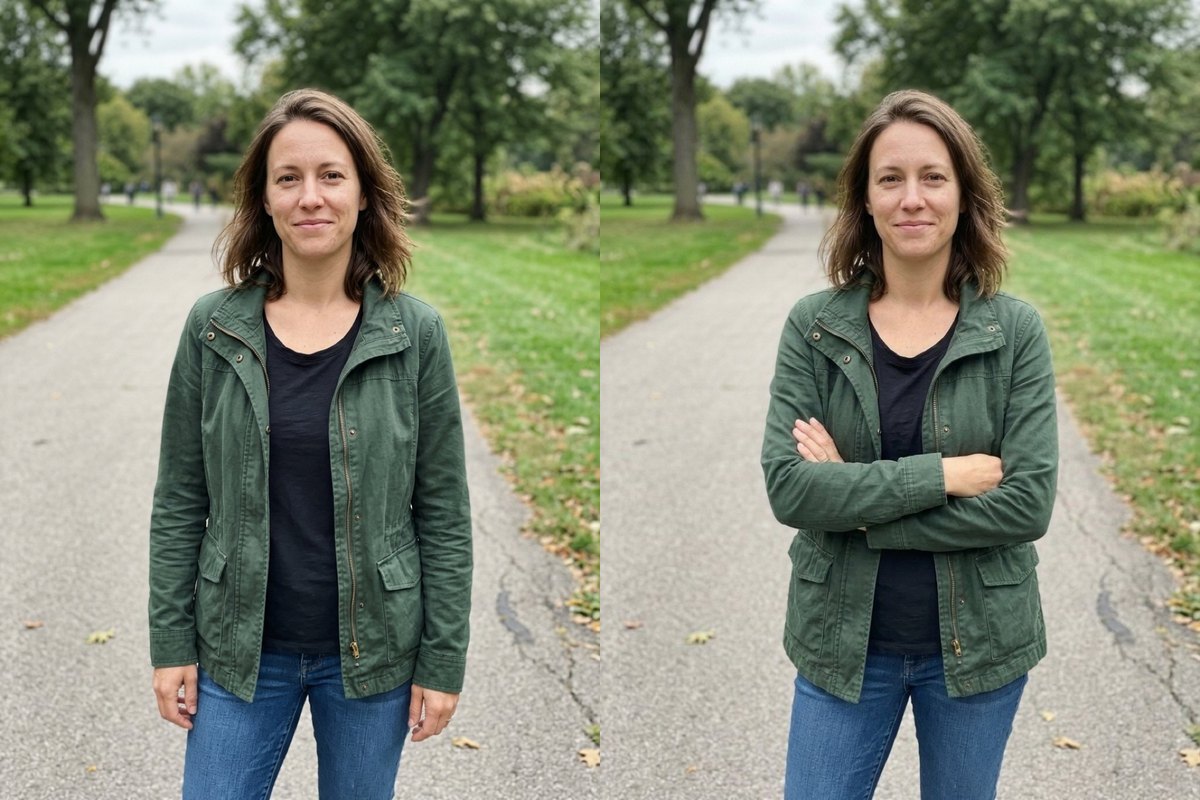
Arms crossed

Standing portrait changed to Arms crossed

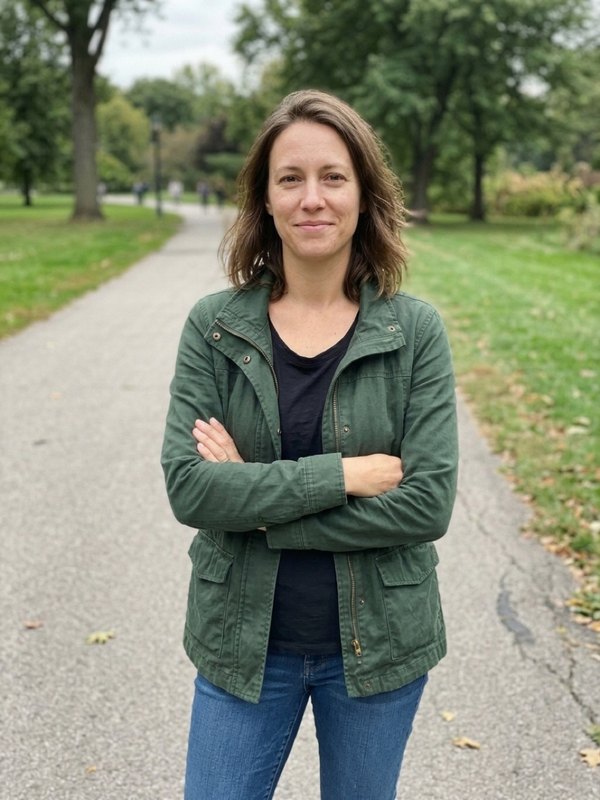
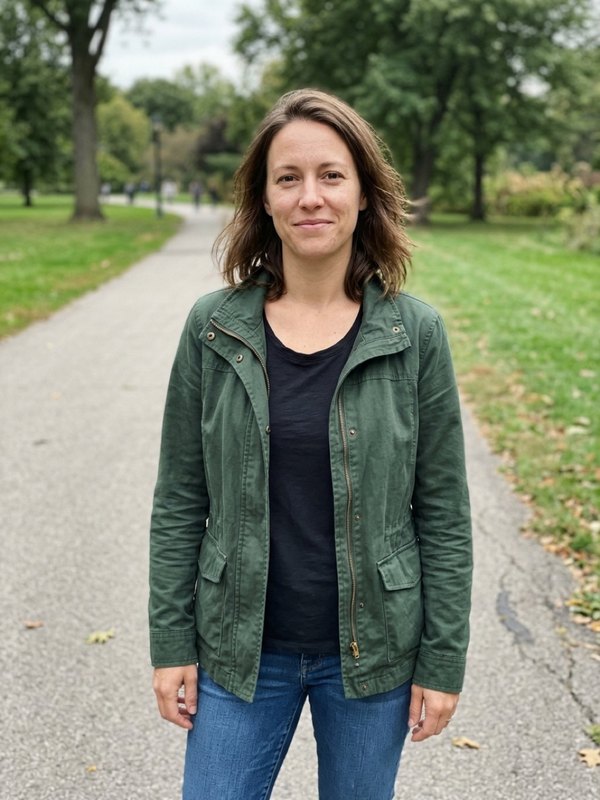
From a park portrait of a woman in a green jacket and jeans with arms down, Arms crossed folded her arms across her front on the same park path. Her face, hair, jacket and jeans stayed the same; check finger placement on close-ups.

PromptChange the pose of the person in this photo so that they are standing with their arms crossed in front of them. Keep the same person: face, hair, skin tone, body shape and clothes unchanged. Keep the background and the light the same, and keep the hands and arms anatomically correct.
  • Face and clothes kept
  • Same park path
A woman in a green jacket standing with arms down on a park path on the left next to the same woman on the same path with arms crossed on the rightOriginalNano Banana 2.1
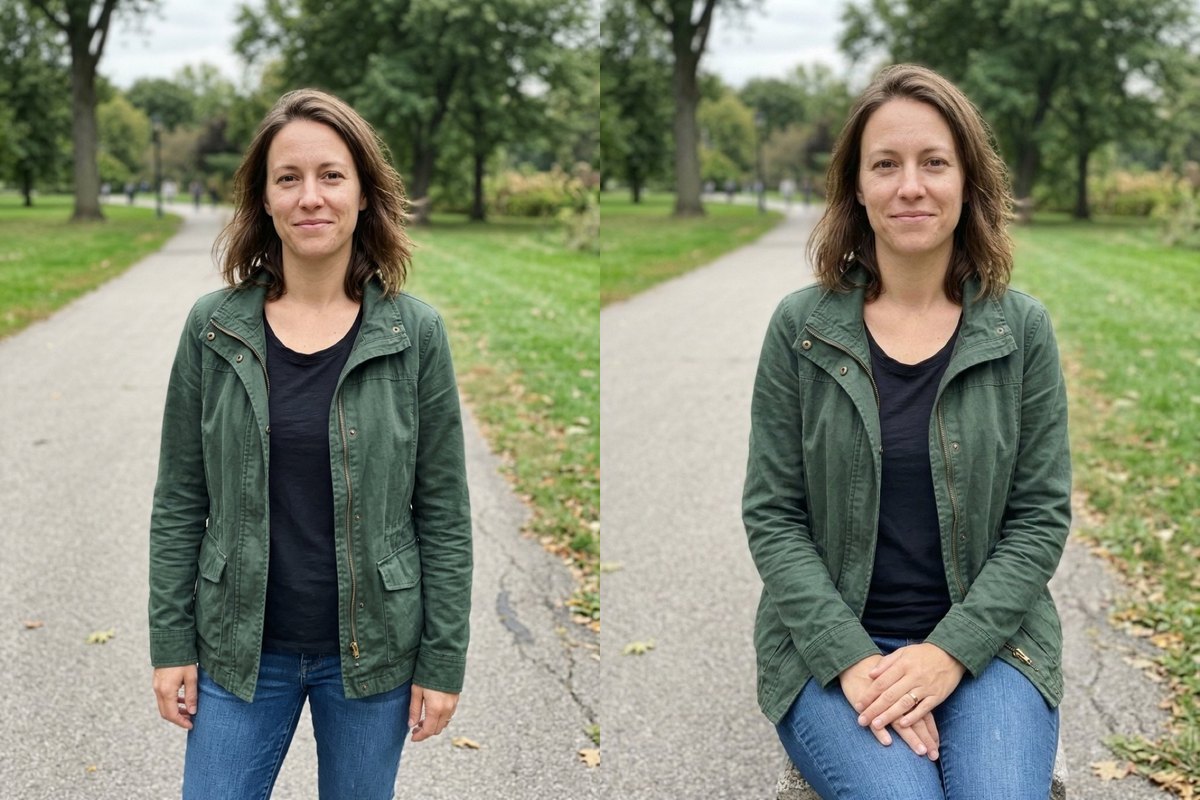
Sitting

Standing park shot changed to Sitting

Using the same park photo, Sitting placed her seated with hands resting on her lap. In one Sitting run the model added a bench underneath her while keeping her clothes and face consistent.

PromptChange the pose of the person in this photo so that they are sitting down, relaxed, with their hands resting on their lap. Keep the same person: face, hair, skin tone, body shape and clothes unchanged. Keep the background and the light the same, and keep the hands and arms anatomically correct.
  • Added a stone bench
  • Same woman and clothes
A woman in a green jacket standing on a park path on the left next to the same woman seated on a bench with hands on her lap on the rightOriginalNano Banana 2.1
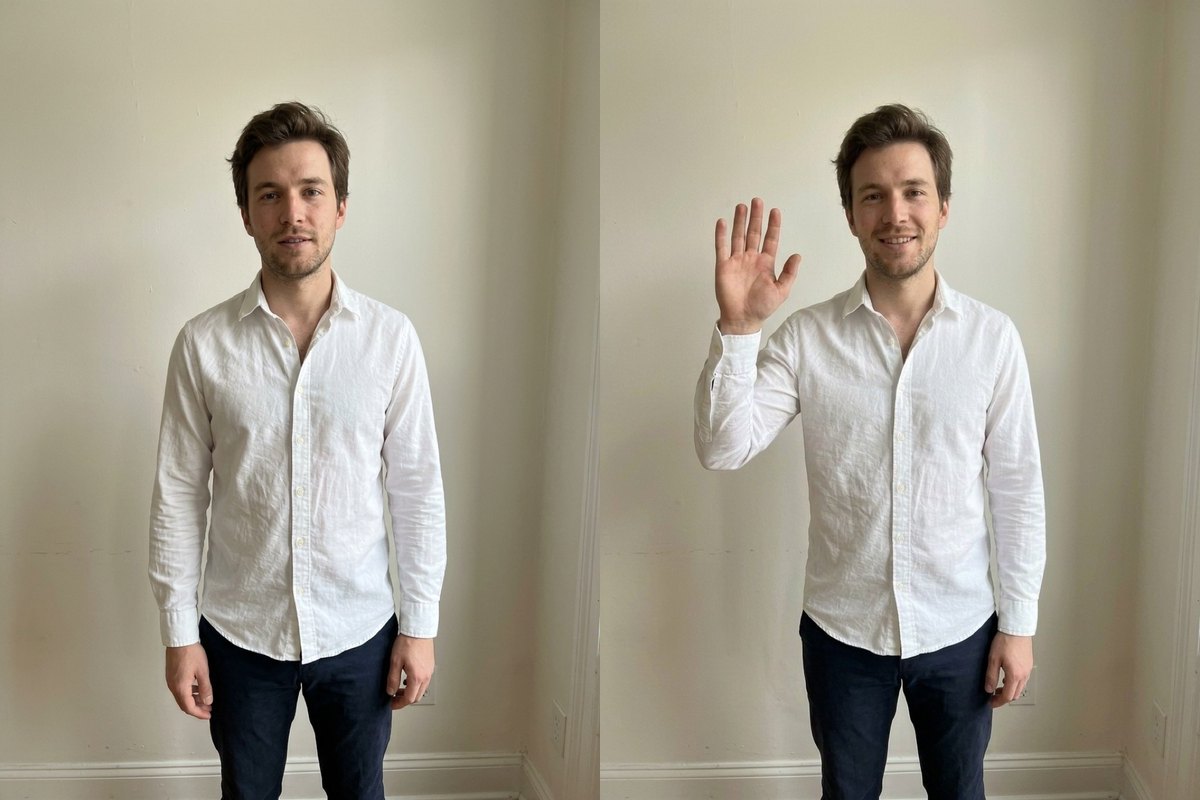
Waving

Arm lifted into a Waving pose indoors

On an indoor portrait of a man in a white shirt against a cream wall, Waving raised his right arm toward the camera while keeping his face, shirt and room light steady. Check fingers and wrist closely before saving.

PromptChange the pose of the person in this photo so that they are waving at the camera with one hand. Keep the same person: face, hair, skin tone, body shape and clothes unchanged. Keep the background and the light the same, and keep the hands and arms anatomically correct.
  • Face and wall kept
  • Inspect lifted hand
A bearded man in a white shirt against a cream wall with arms down on the left next to the same man raising his right hand to wave on the rightOriginalNano Banana 2.1
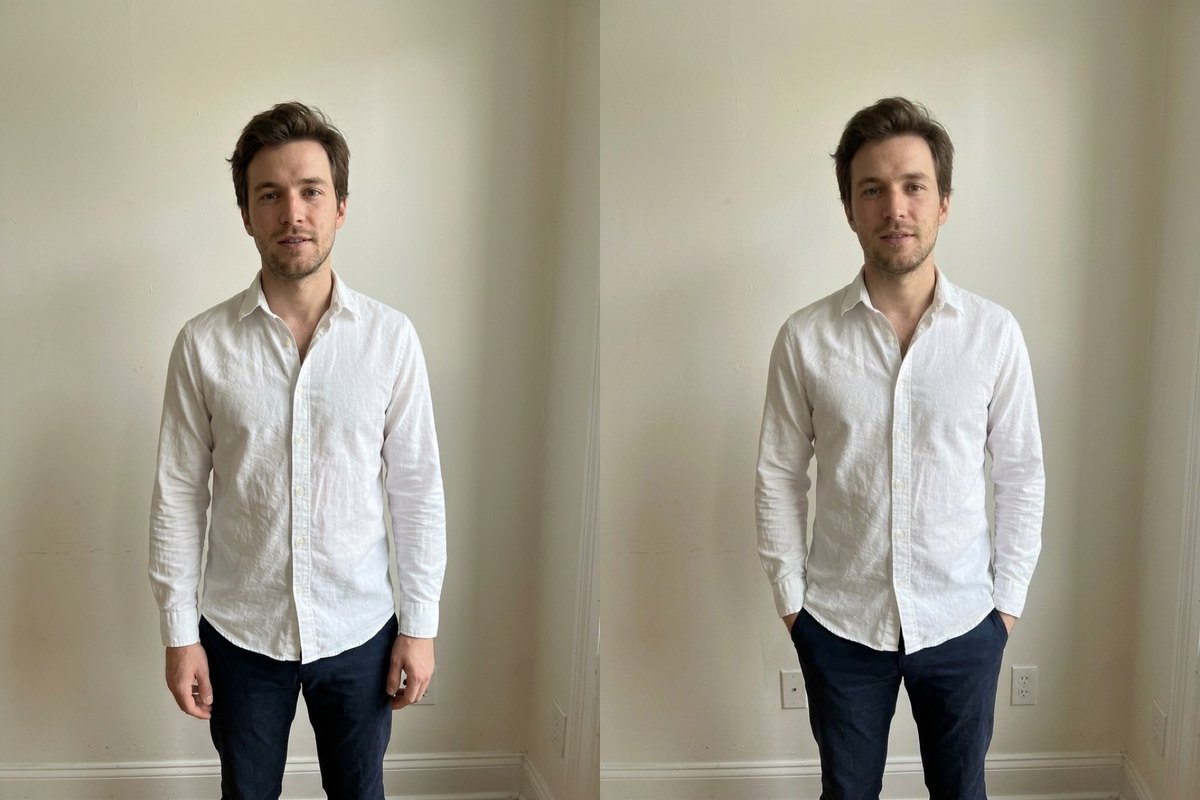
Pockets

Arms tucked into Pockets

From the same man against a cream wall, Pockets tucked both hands into his dark trouser pockets while keeping his face and shirt steady. Minor background details shifted compared with the original.

PromptChange the pose of the person in this photo so that they are standing relaxed with their hands in their pockets. Keep the same person: face, hair, skin tone, body shape and clothes unchanged. Keep the background and the light the same, and keep the hands and arms anatomically correct.
  • Shirt and trousers kept
  • Minor background shift
A man in a white shirt standing with arms at his sides on the left next to the same man standing with his hands in his trouser pockets on the rightOriginalNano Banana 2.1

What was tested and what to watch for

We tested single portraits cropped at about the waist.

How to use it

Three steps, no install.

  1. Add one photo

    Upload one photo of one person, head to at least the waist, JPG, PNG or WebP. Photos are checked, then deleted about a day after you upload them.

  2. Pick a pose or Your own

    Select Arms crossed, Pockets, Waving, Hand on hip, Looking back or Sitting, or choose Your own and keep a custom pose short and plain (up to 120 characters).

  3. Download the result

    Press Generate. The picture appears under the tool and stays in My images for 30 days.

AI Photo Editor pricing

A standard edit costs 5 credits; larger sizes and premium models cost 8 to 15. Buy a pack once and use it whenever you like. Bigger packs bring the price of a standard edit down from $0.17 to $0.12.

Starter

Try it out

$4.99one-time

30images

$0.17 per imageBase price

150 credits

Basic

Around 70 images

$9.99one-time

70images

$0.14 per imageSave 14%

350 credits

Plus

Around 150 images

$19.99one-time

150images

$0.13 per imageSave 20%

750 credits

Studio

For daily creators

$69.99one-time

600images

$0.12 per imageSave 30%

3,000 credits

Image counts and per-image prices here use 5 credits, what Nano Banana 2.1 costs at its basic setting. The cost of the model you pick shows before you start.

Secure one-time checkout through Stripe. Buying a pack only adds credits to your account. USD prices. Review the final amount and any applicable tax at checkout before paying. Credits do not automatically renew, and unused credits can be refunded within 7 days of purchase. The credit cost shows before each image; finished results need no second payment to view or download.

AI pose changer questions

What kind of photo has been tested?

We tested single portraits cropped at about the waist. Group photos, full-body athletic moves and custom pose text were not tested.

Which pose options were tested vs only listed?

Arms crossed, Pockets, Waving and Sitting appear above; Hand on hip and Looking back were not run in our test batch shown on this page (and custom text in Your own is untested).

Why did a bench appear or small wall details shift?

In one Sitting run the model added a bench under the seated figure, and Pockets showed minor background shifts. Hands are the hardest part, so check fingers closely; run it again, or switch to GPT Image 2.5 (8 credits) and compare.

How should I write a custom pose in Your own?

Keep a custom pose short and plain in up to 120 characters describing one stance.

Can I also change clothes or hair?

Download the pose result first, then upload it to AI clothes changer, AI hairstyle changer or AI image editor; we have not tested the two tools together.

More tools

One account and one set of credits for every tool and model.

Change a pose now

Upload a portrait cropped at about the waist above and choose a stance.

No photo? Try one:
New poseShown on other people
5 free credits when you sign up · no cardPricing
Arms crossedBeforeAfter
Nano Banana 2.1
Arms crossed

Change the pose of the person in this photo so that they are standing with their arms crossed in front of them. Keep the same person: face, hair, skin tone, body shape and clothes unchanged. Keep the background and the light the same, and keep the hands and arms anatomically correct.