
Change background of photo

Upload a portrait, pick a background preset or describe your own, and get the same person in a new scene.

5 credits a photo. Failed images are free.

No photo? Try one:
New backgroundShown on other people
5 free credits when you sign up · no cardPricing
White studioBeforeAfter
Nano Banana 2.1
White studio

Replace the background of this photo with a clean, plain white studio backdrop with soft even light. Keep the person or the main subject exactly the same: face, hair, clothes, pose and size in the frame. Cut cleanly around hair and edges, and match the light and colour on the subject to the new background so it looks natural.

What our background test runs show

Each run used the preset prompt shown below on Nano Banana 2.1. In all of these runs, face, hair and clothes stayed the same and hair edges stayed clean.

White studio

A kitchen replaced by White studio

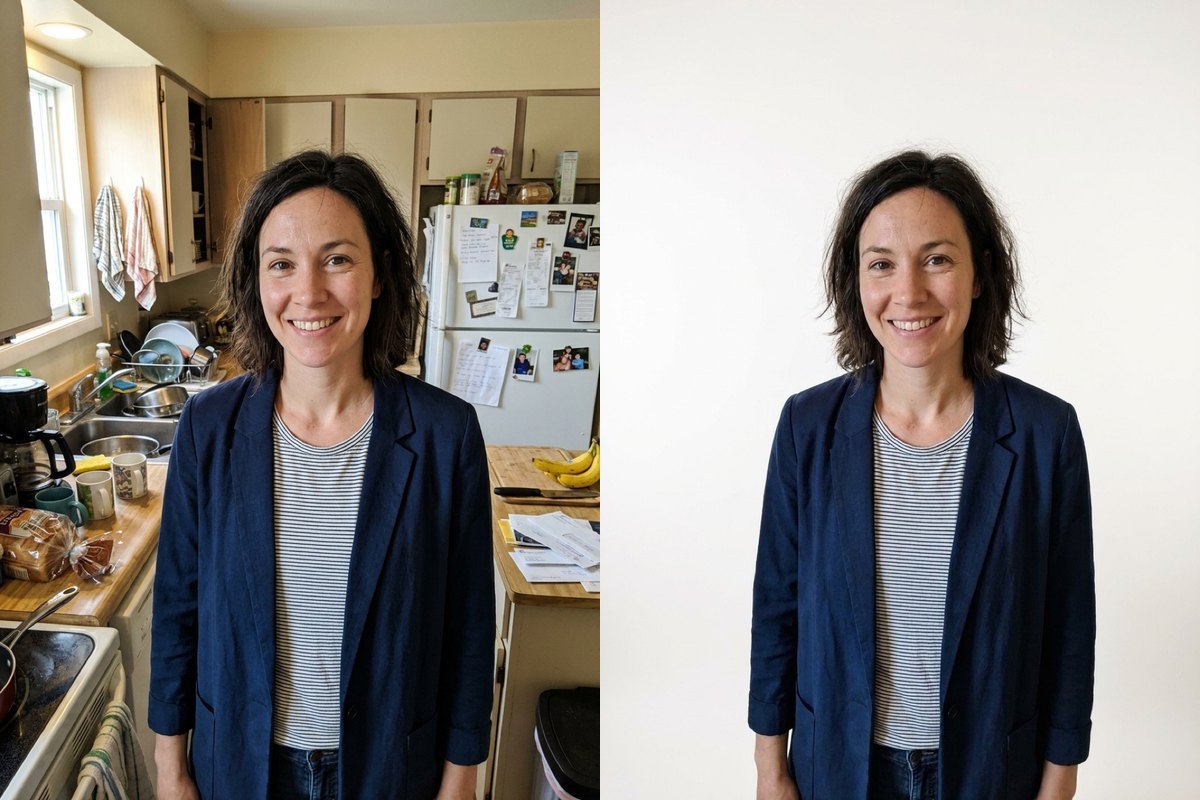
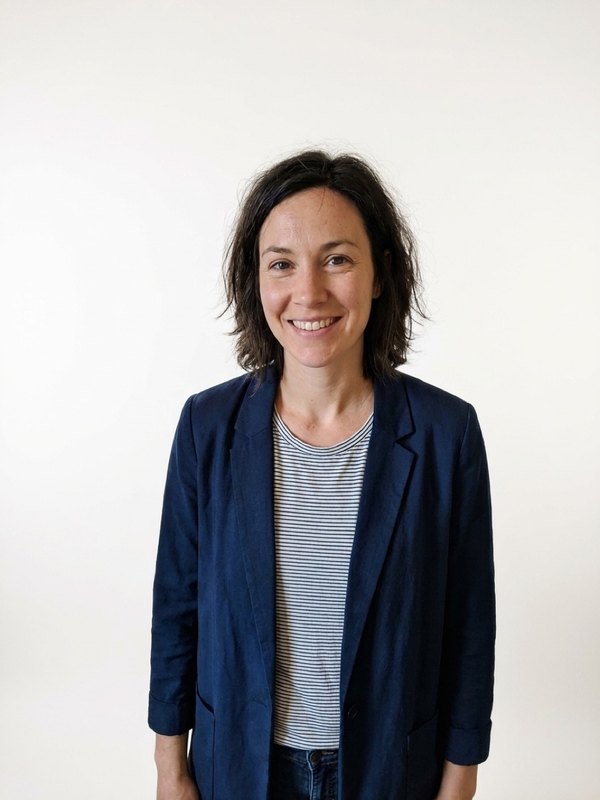
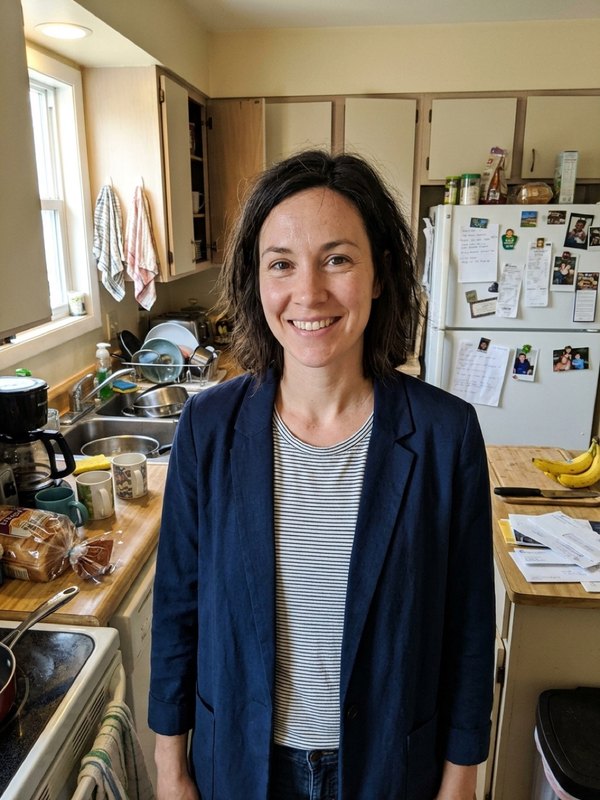
Starting from a smiling woman in a navy blazer and striped top in a cluttered kitchen, White studio replaced the cabinets, sink and fridge behind her with a plain white wall. Her face, blazer and hair stayed intact.

PromptReplace the background of this photo with a clean, plain white studio backdrop with soft even light. Keep the person or the main subject exactly the same: face, hair, clothes, pose and size in the frame. Cut cleanly around hair and edges, and match the light and colour on the subject to the new background so it looks natural.
  • Face and clothes kept
  • Hair edges clean
A smiling woman in a navy blazer and striped top in a kitchen on the left next to the same woman on a white studio background on the rightOriginalNano Banana 2.1
Office

The same portrait placed in an Office

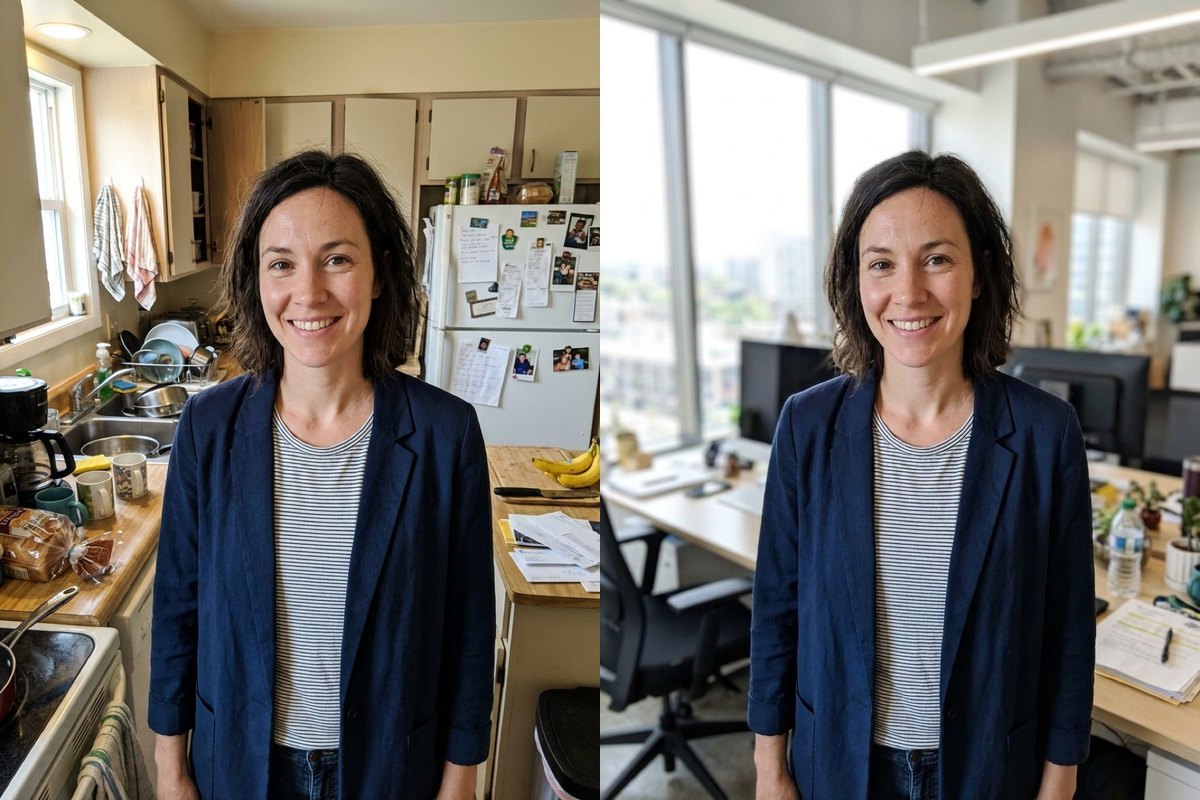
Running the same woman with Office put blurred desks, computer monitors and windows behind her. Her pose and expression stayed unchanged, while the light on her stayed close to the original indoor shot.

PromptReplace the background of this photo with a bright modern office with a blurred desk and window behind. Keep the person or the main subject exactly the same: face, hair, clothes, pose and size in the frame. Cut cleanly around hair and edges, and match the light and colour on the subject to the new background so it looks natural.
  • Face and blazer kept
  • Lighting roughly original
A smiling woman in a navy blazer in a kitchen on the left next to the same woman in front of a blurred office with windows and desks on the rightOriginalNano Banana 2.1
Beach

A home desk swapped for a Beach

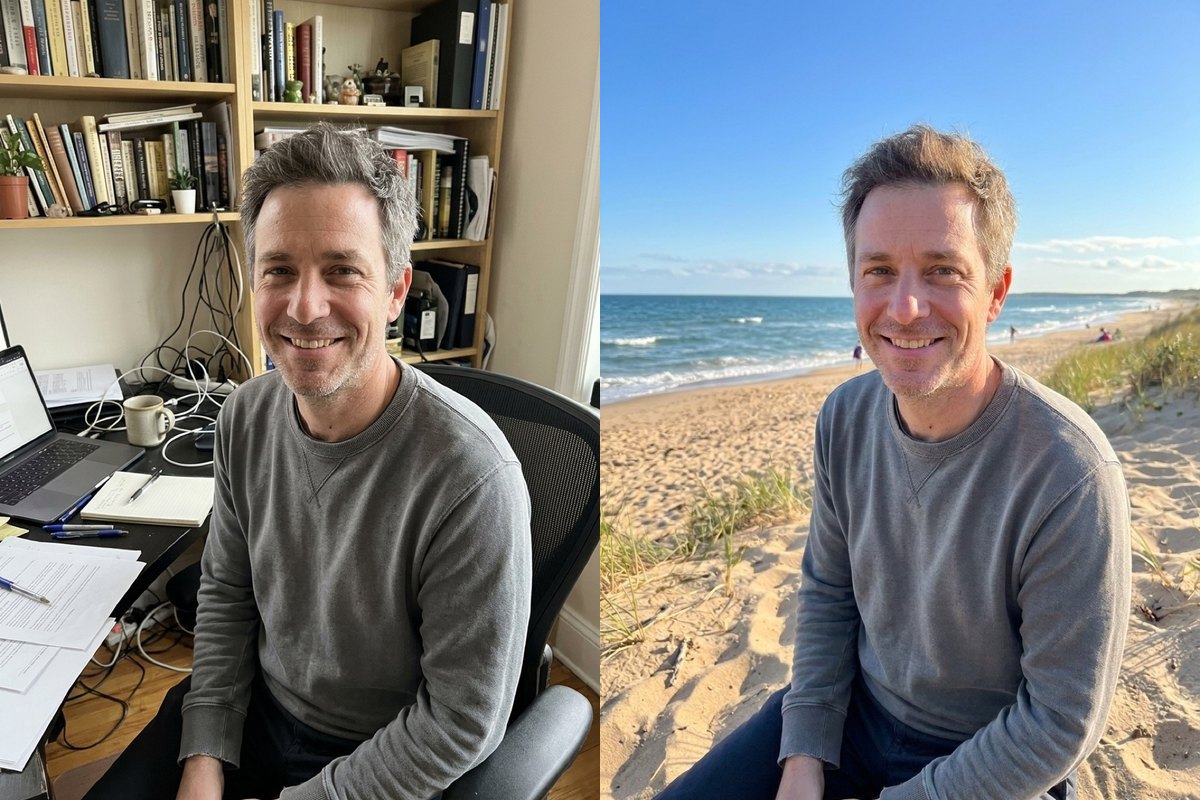
Starting from a smiling man in a grey sweatshirt sitting in a study chair beside bookshelves and a laptop, Beach placed sand, ocean waves and a blue sky behind him. His sweatshirt and face stayed unchanged.

PromptReplace the background of this photo with a sunny beach with soft sand, the sea and a clear sky. Keep the person or the main subject exactly the same: face, hair, clothes, pose and size in the frame. Cut cleanly around hair and edges, and match the light and colour on the subject to the new background so it looks natural.
  • Desk and chair replaced
  • Sweatshirt and face kept
A smiling man in a grey sweatshirt at a home desk on the left next to the same man set on a sandy beach with ocean waves and sky on the rightOriginalNano Banana 2.1
Cafe

Warm Cafe interior behind the desk portrait

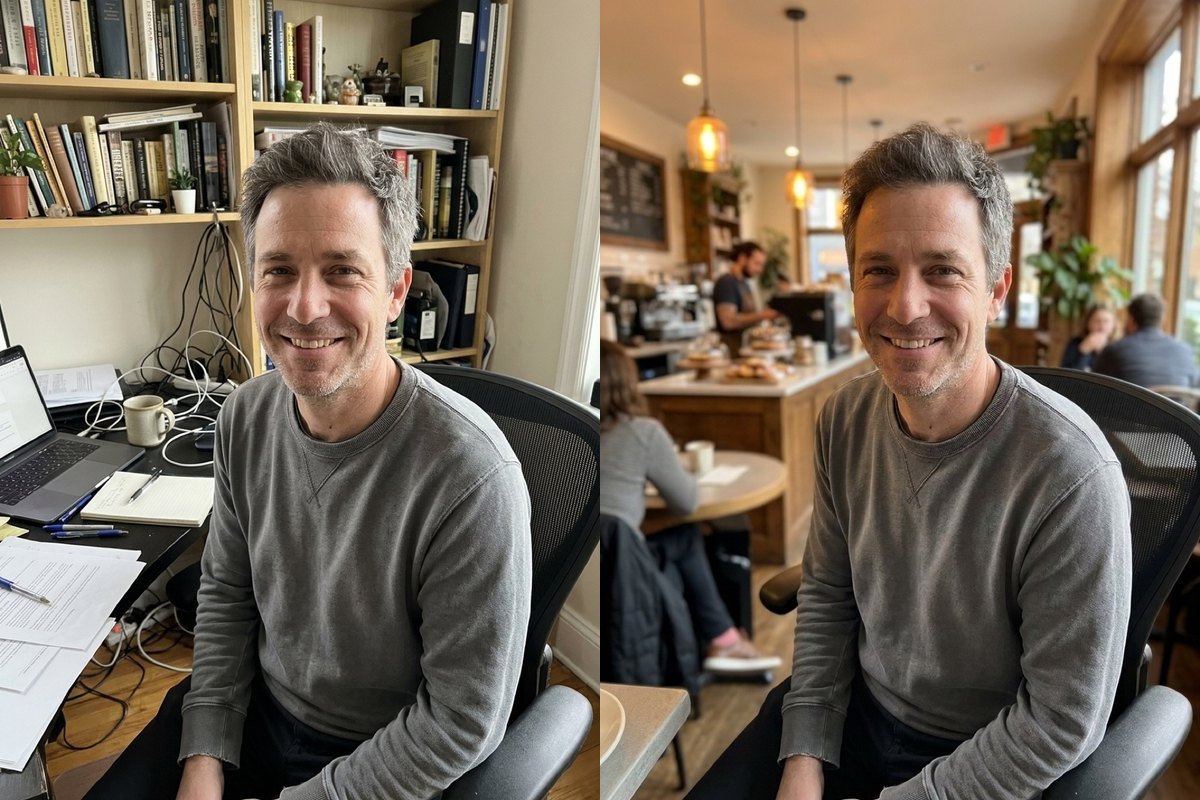
With the same study portrait, Cafe put blurred hanging lights, counter seating and warm wooden tones behind him. Notice that on both scenes with this man, the light on his grey sweatshirt stayed close to the original room.

PromptReplace the background of this photo with a cozy cafe interior with warm light and a blurred counter. Keep the person or the main subject exactly the same: face, hair, clothes, pose and size in the frame. Cut cleanly around hair and edges, and match the light and colour on the subject to the new background so it looks natural.
  • Same man and pose kept
  • Original subject light kept
A smiling man at a bookshelf-lined home desk on the left next to the same man in front of a blurred cafe interior with hanging lights on the rightOriginalNano Banana 2.1

What this background tool returns and what was tested

Pick from seven presets: White studio, Soft grey, Office, Beach, City street, Park and Cafe, or choose Your own to describe a backdrop in up to 120 characters (we did not test custom text). It returns a finished picture with the new backdrop behind the person; it does not make transparent cutouts.

We tested single-person portraits (one woman and one man, without eyeglasses). Group photos, products and subjects wearing glasses are untested here. In our runs the light on the person only roughly followed the original photo and did not fully match the new scene, so check the result.

For general text-led edits on any scene, see the AI image editor; we have not tested combining multiple tools on the same photo.

How to use it

Three steps, no install.

  1. Add one photo

    Upload a photo of one person in front of a background, JPG, PNG or WebP. Photos are checked, then deleted about a day after you upload them.

  2. Pick a background or Your own

    Select White studio, Soft grey, Office, Beach, City street, Park or Cafe, or choose Your own to describe a backdrop in up to 120 characters (we did not test custom text).

  3. Download the result

    Press Generate. The picture appears under the tool and stays in My images for 30 days.

AI Photo Editor pricing

A standard edit costs 5 credits; larger sizes and premium models cost 8 to 15. Buy a pack once and use it whenever you like. Bigger packs bring the price of a standard edit down from $0.17 to $0.12.

Starter

Try it out

$4.99one-time

30images

$0.17 per imageBase price

150 credits

Basic

Around 70 images

$9.99one-time

70images

$0.14 per imageSave 14%

350 credits

Plus

Around 150 images

$19.99one-time

150images

$0.13 per imageSave 20%

750 credits

Studio

For daily creators

$69.99one-time

600images

$0.12 per imageSave 30%

3,000 credits

Image counts and per-image prices here use 5 credits, what Nano Banana 2.1 costs at its basic setting. The cost of the model you pick shows before you start.

Secure one-time checkout through Stripe. Buying a pack only adds credits to your account. USD prices. Review the final amount and any applicable tax at checkout before paying. Credits do not automatically renew, and unused credits can be refunded within 7 days of purchase. The credit cost shows before each image; finished results need no second payment to view or download.

Change background questions

Can this tool make a transparent cutout?

No. It returns a finished picture with the new backdrop behind the person rather than a transparent cutout.

Does the lighting on the person change to match the new background?

In our runs the light on the person only roughly followed the original photo and did not fully match the new scene, so check skin tones and clothing against bright outdoor backgrounds.

What subjects have been tested?

We tested single-person portraits (one woman and one man, without glasses). Group shots, products and portraits with glasses were not tested.

What presets are available?

White studio, Soft grey, Office, Beach, City street, Park, Cafe, plus Your own to describe a backdrop in up to 120 characters (custom text was not tested).

What if hair edges or light look off?

Run it again, or switch to GPT Image 2.5 (8 credits) and compare.

More tools

One account and one set of credits for every tool and model.

Try a new background now

Upload a portrait above, select a preset or Your own, and press Generate.

No photo? Try one:
New backgroundShown on other people
5 free credits when you sign up · no cardPricing
White studioBeforeAfter
Nano Banana 2.1
White studio

Replace the background of this photo with a clean, plain white studio backdrop with soft even light. Keep the person or the main subject exactly the same: face, hair, clothes, pose and size in the frame. Cut cleanly around hair and edges, and match the light and colour on the subject to the new background so it looks natural.