How to Remove a Person From a Photo While Keeping Faces
Circle one bystander or ask to clear the whole background behind your subject with GPT Image 2.6 Flare in 13 to 24 s (5 credits, failed runs free).
On this page4 sections
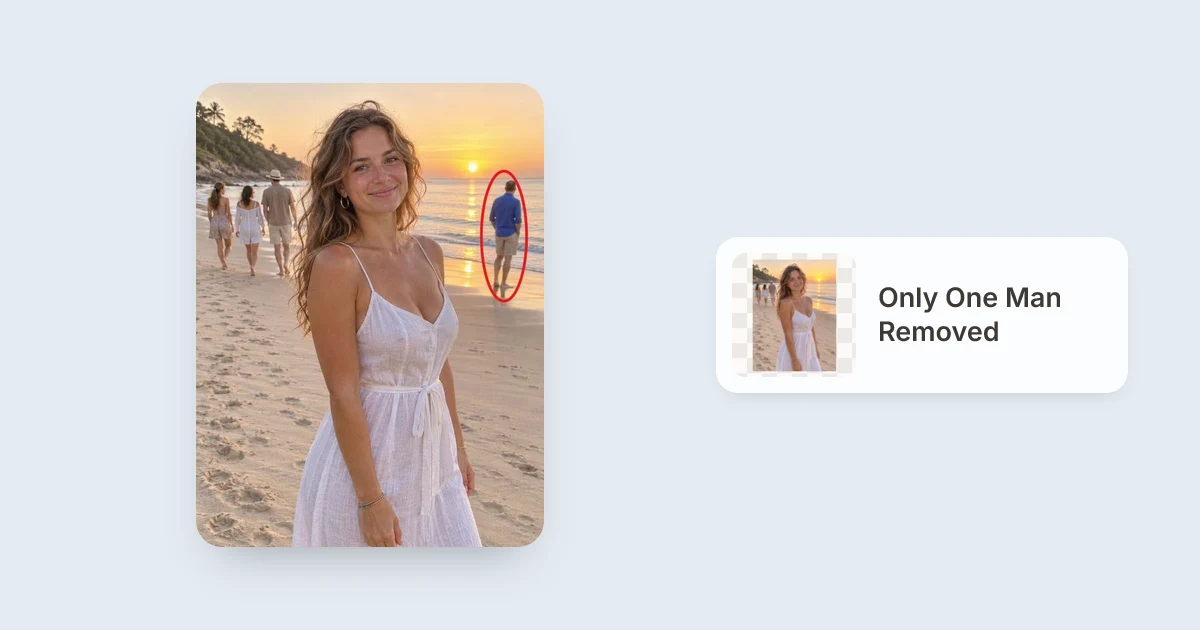
Open Remove Person from Photo, upload your picture, and either Draw to edit a red ring around the exact stranger you want gone (feet to head) or type a line to remove all background people. Powered by GPT Image 2.6 Flare at 5 credits per photo, our beach tests removed a single circled man in 24 seconds and four background strangers at once in 13 seconds.
Deleting one photo-bomber on a busy beach or street without touching two friends beside them used to mean painting delicate masks around hair and shoreline waves.
With browser drawing marks on GPT Image 2.6 Flare, a simple circle removes ambiguity when five people stand in the frame and only one needs to go.
1Circle one person vs clear every background bystander
- Five or more people share the frame and only one stranger needs to leave.
- Three distant walkers should stay untouched while one man in blue is erased (24 s in our run).
- Saying “the person on the left” could accidentally confuse two nearby bystanders.
- Every bystander behind your main portrait subject should disappear at once.
- You want maximum speed without drawing circles (all 4 background strangers gone in 13 s).
- You close the prompt with
"Keep the woman, the beach and the light exactly the same."
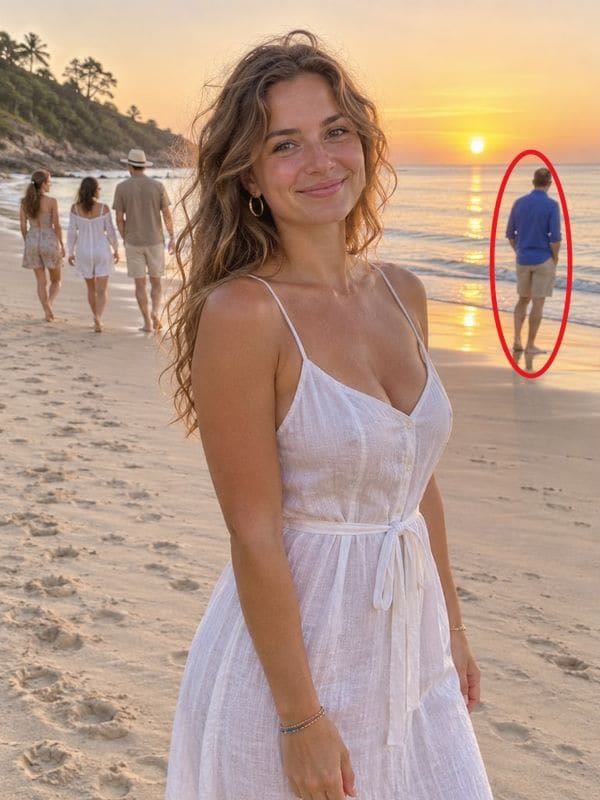 Before: circled man on beach
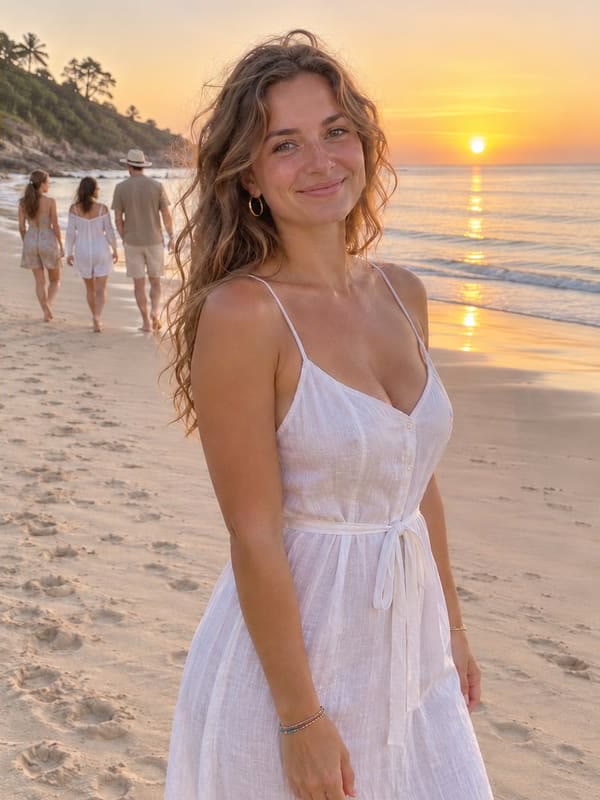 After: only circled man removed
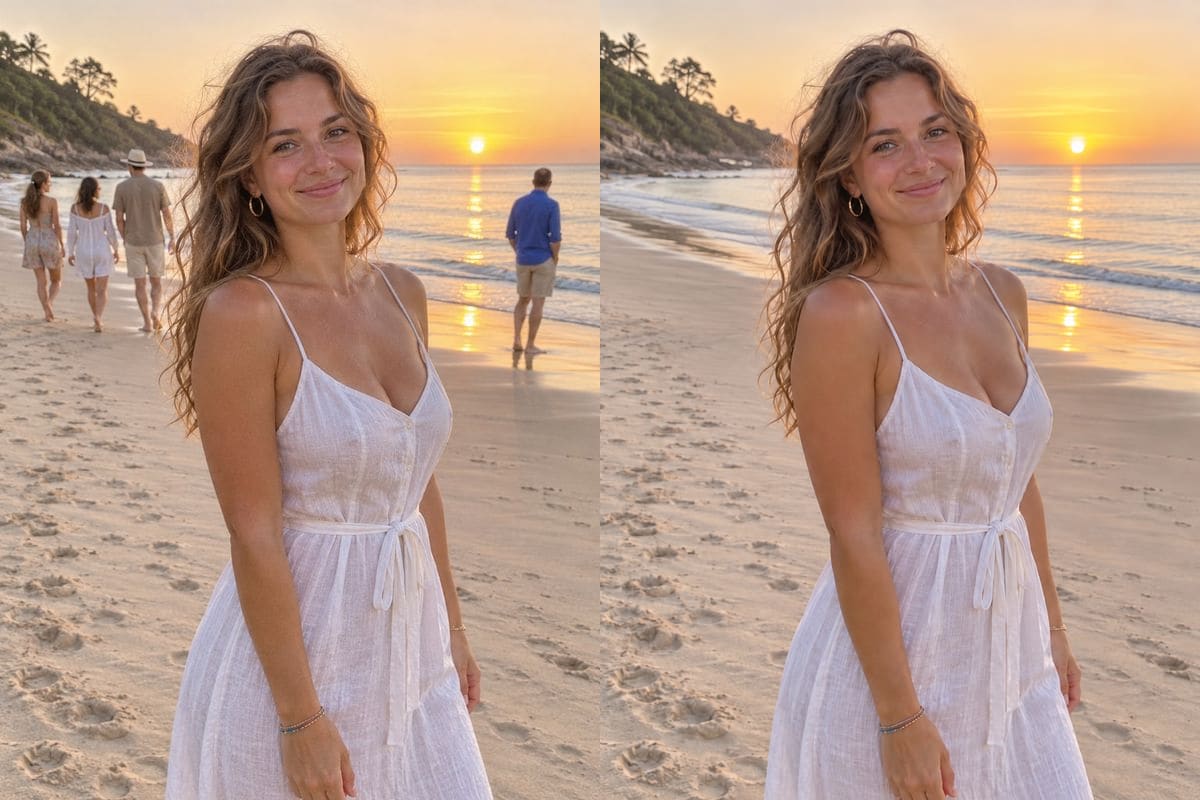
2Four steps for cleaner edges around kept people
- Circle the full personWhen using Draw to edit, draw one ring from head to shoes with a little sand, pavement or water around their feet so shadows go too.
- Name who stays putAdd a second short clause naming your main subjects (for example,
"Keep everyone else and the light the same"). - Inspect kept faces and fingersBecause GPT Image 2.6 regenerates the whole image, zoom into fingers and faces of people you kept before downloading.
- Use a second pass on overlapsWhen two shoulders touch, click Edit this result, circle any faint trace left behind, and switch Mode to
Careful(still 5 credits at 1K).
3Comparing both tests side by side
| Run Type | Input Prompt / Mark | Measured Time | Result Quality |
|---|---|---|---|
| Targeted single person | Red circle + "Remove only the man I circled..." |
24 s | 1 man removed; 3 other background walkers kept |
| Full background crowd | Text only: "Remove all the people in the background..." |
13 s | All 4 strangers gone; shoreline and surf rebuilt |
If you also want stray litter bins, scooters, backpacks or camera date stamps cleared from the same travel album, try Remove Object from Photo (see How to remove an object from a photo) or Remove Text from Image.
Load our beach test photo with its red ring already placed, or upload your own shot (new accounts start with 5 free credits).
FAQ
Will my drawn circle leave a red outline in the saved image?
No. The studio treats your drawn marks as internal mask instructions for GPT Image 2.6 Flare and renders a clean photograph with no lines left behind.
How do I remove just one person out of a group?
Click Draw to edit, circle only the person you want removed from head to shoes (including their ground shadow), and write "Remove only the person I circled. Keep everyone else and the background the same."
What if a person overlaps someone I want to keep?
Circle only the person leaving the frame and explicitly name who stays.
If a partial arm or jacket remains on the first output, use Edit this result to circle that leftover spot and switch Mode to Careful.
How fast and how expensive is person removal?
Our beach test runs took 13 seconds (all background strangers) and 24 seconds (one circled person), at 5 credits per 1K generation. Failed runs cost nothing (the credits come back).
What happens to uploaded photos?
Uploaded images are checked safely, stored at an unguessable private address during processing, and deleted about one day later.
Results stay in /history (My images) for 30 days.