How to Remove Text From an Image You Own Cleanly
Take an orange date stamp, caption or text overlay off your own photo with GPT Image 2.6 Flare in 15 to 18 s while keeping the scene intact (5 cr).
On this page4 sections
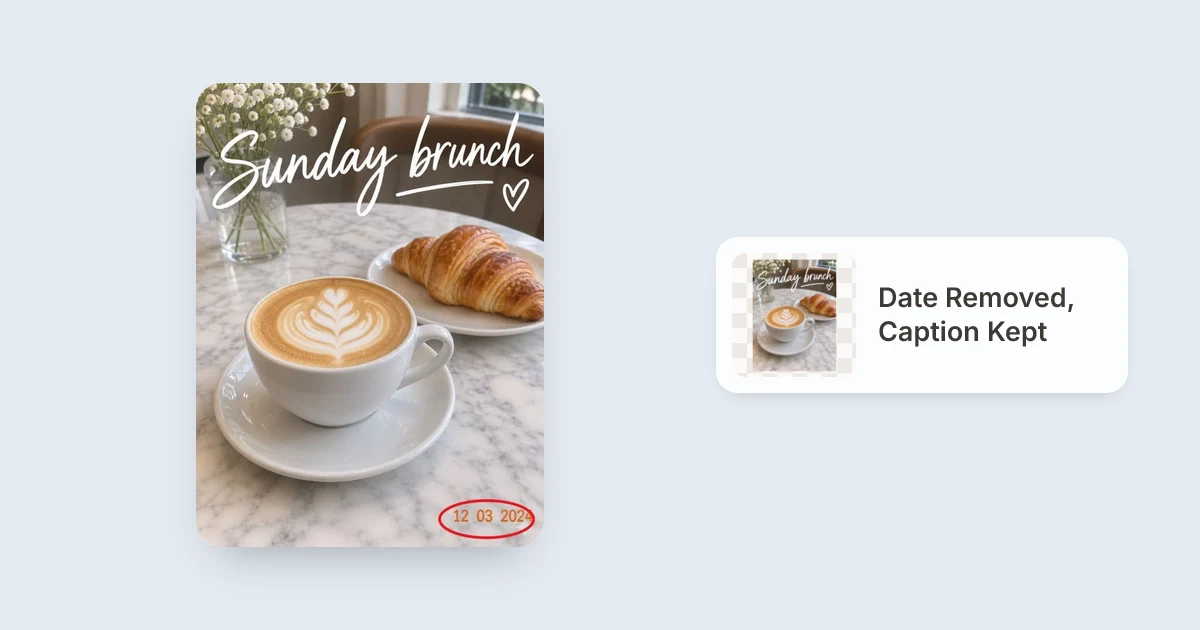
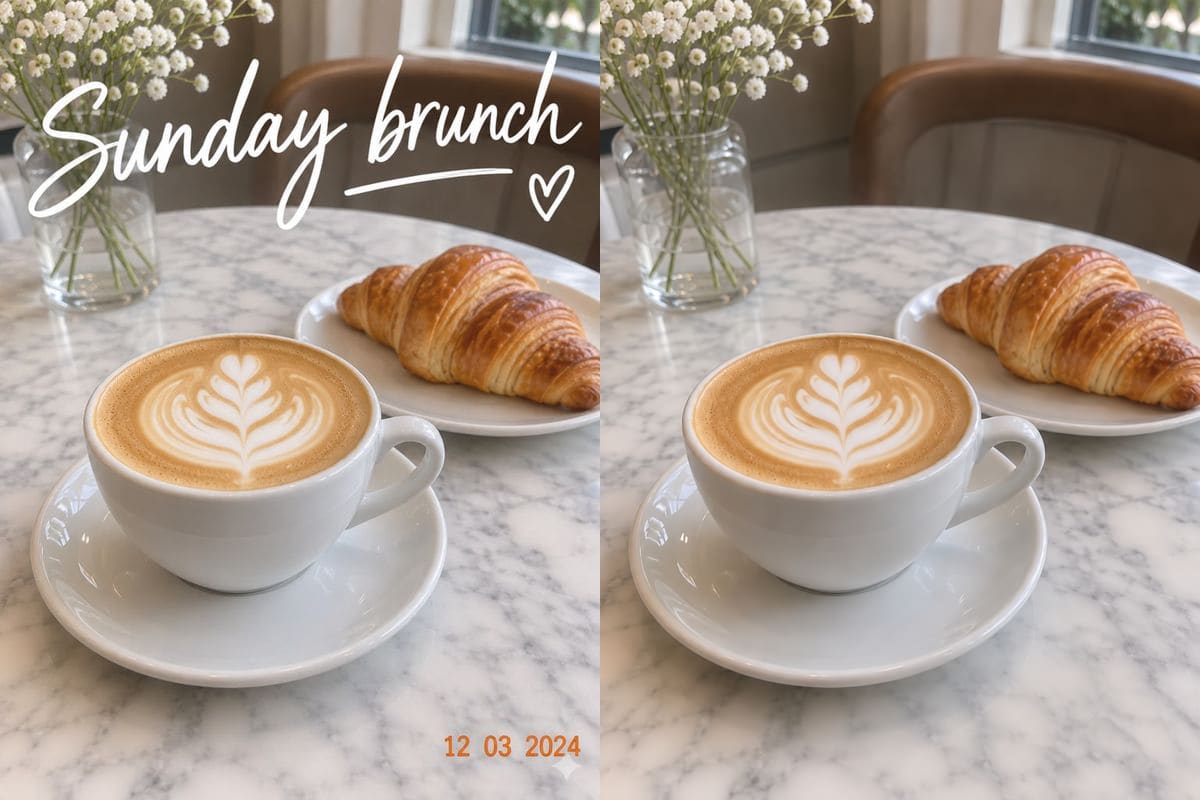
Upload your own photograph or graphic to Remove Text from Image, circle only the date stamp or caption with Draw to edit (or ask for all overlaid text to go), and run GPT Image 2.6 Flare for 5 credits. Our coffee-table tests removed a corner date stamp alone in 15 seconds while keeping a handwritten headline intact, and cleared both caption and date stamp together in 18 seconds.
When you shoot a camera roll backup with an orange date stamp switched on, or export one social story slide with old caption text stuck across the sky, cropping out the words cuts off half the composition. Inpainting behind letters lets you keep the full marble table, latte cup or blurred backdrop intact without fuzzy rectangular patches.
1Remove only part of the text vs all overlaid lettering
- You want an orange date stamp removed without erasing your own handwritten headline above it.
- Other logos, signs or text on a café menu belong in the shot (
"Keep everything else, including the caption, the same"). - Thick drop shadows sit round the lettering and need a clear loop round the glow too.
- Every caption, stamp and overlay across the shot needs to disappear cleanly together.
- Writing
"Remove the caption and the date stamp"saves drawing multiple loops. - You end with
"Keep the coffee, the croissant and the table exactly the same"to lock foreground food or portraits.
 Before: caption and orange date stamp
 After: date removed, caption kept
2Three steps for clean background reconstruction
- Pick clear pixels around lettersUpload a JPG, PNG or WebP (up to 20 MB). Text sitting over plain walls, sky, wood tables or soft-focus café backgrounds reconstructs cleanly on the first run.
- Mark generously around shadowsWith Draw to edit, leave a small margin outside thick outline fonts or shadow drops so no halo remains after removal.
- Inspect fine edges behind textCheck faces, patterned curtains or detailed tiles near where words used to sit before saving from
/history(My images).
3How both test runs compared
| Test Case | Mode Used | Measured Time | What Rebuilt Cleanly |
|---|---|---|---|
| Date stamp only | Red circle + prompt keeping caption | 15 s | Marble countertop veins restored; headline intact |
| Headline + date stamp | Text prompt without drawing | 18 s | Blurred background chair, window and marble kept |
| Second pass on patterns | Edit this result + Careful mode | Still 5 credits (1K) | Faint strokes over busy plaids or signs cleared |
If unwanted clutter or strangers also photobombed the same trip photos, pair text cleanup with Remove Object from Photo or Remove Person from Photo, or see How to remove an object from a photo.
Careful (still 5 credits at 1K).Test our preloaded brunch snapshot with its date stamp already circled, or upload your own date-stamped photo with 5 free starter credits.
FAQ
How can I take a date stamp off my own photo without losing a caption?
Upload the photo to /remove-text-from-image, click Draw to edit to draw a ring round only the date stamp, and write "Remove the date stamp I circled. Keep everything else, including the caption, the same."
Our test completed that selective edit in 15 seconds.
Will text removal erase watermarks on stock photos?
No - removing watermarks, creator signatures or attribution lines from pictures you do not own violates rights and site terms. Use this tool strictly on your own photography, date-stamped camera scans, and captions you created yourself.
Why did faint letter outlines stay on a patterned wall?
Drop shadows or subtle colour glows around large fonts sometimes sit just outside a tight drawn circle, or fine stripes take deeper reasoning.
Draw a slightly wider circle over any shadow, or use Edit this result with Mode set to Careful.
How much does it cost to remove text from one image?
5 credits at 1K resolution on GPT Image 2.6 Flare. New accounts start with 5 free credits without adding a card, and failed images cost nothing (the credits come back).
What file types and sizes are supported?
One JPG, PNG or WebP file up to 20 MB per run.
Uploaded originals are removed after about one day, while results stay saved in /history (My images) for 30 days.